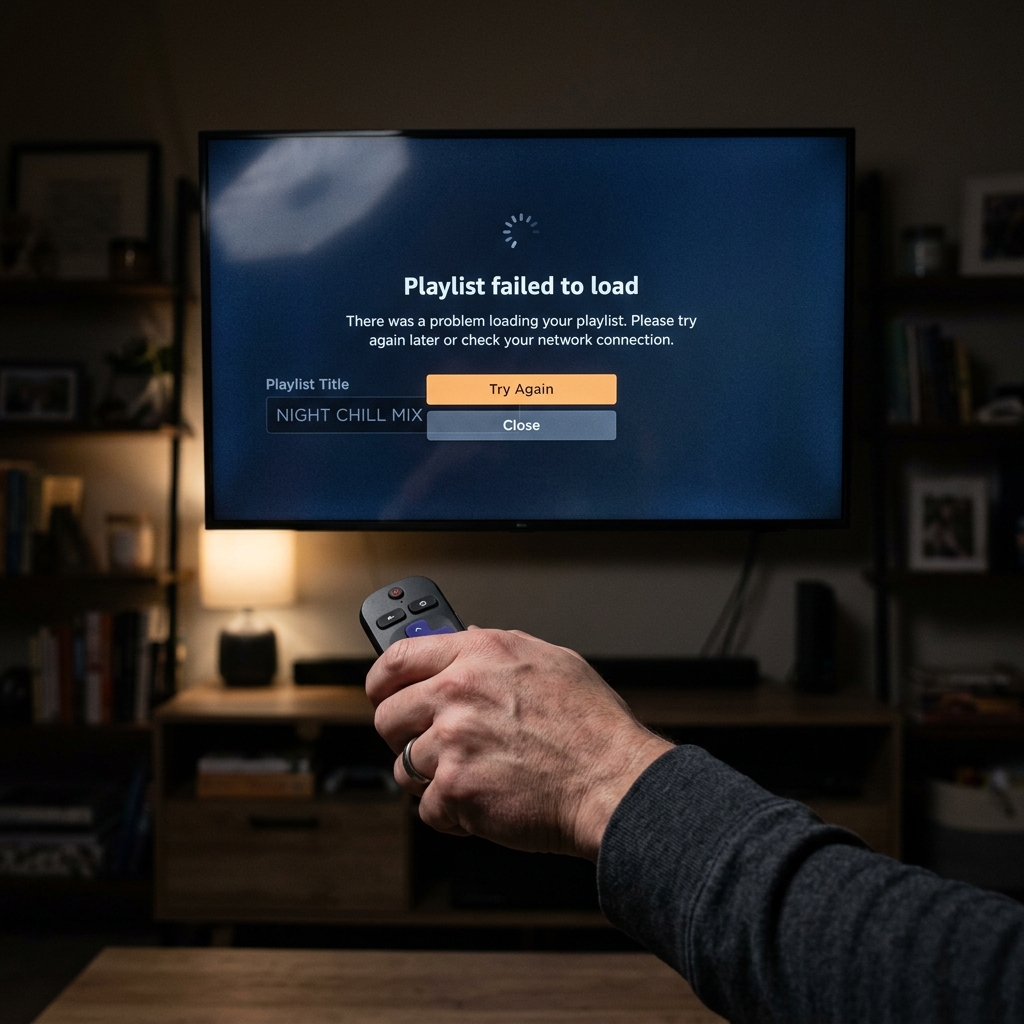
If your screen went dark this week with a "404 Not Found" or "Network Error," you’re not alone. Massive international police raids in May 2026 have seized dozens of servers, causing hundreds of thousands of playlists to fail. However, a "dead link" isn't always a seized server—it could be a simple technical glitch. Here are the 5 fastest ways to fix broken IPTV playlist errors and get your streaming back online.
Why Your IPTV Playlist Failed to Load in May 2026
The streaming landscape has been chaotic following the massive UK PIPCU raids on May 13, 2026, which seized equipment worth £750,000 and dismantled several major server farms. Similarly, Italy's recent "Operation Switch Off" impacted over 125,000 users overnight.
Adding fuel to the fire is the newly published "Cache Out" report, which outlines how rights holders are aggressively shifting tactics to send compensation demand letters directly to end-users whose IP addresses are found in seized server logs. (Read more about the latest IPTV crackdown news).
However, you must differentiate between a true "Server Seizure" and a localized "Technical Error." If your server was seized, the URL is dead, and the domain name itself will often redirect to a police warning page (resulting in a 404 or a routing failure). Conversely, if the domain is simply experiencing high latency or your local ISP is interfering, the playlist URL might be perfectly valid, but your device is failing to parse the HLS stream tokens.
Method 1: Convert M3U Links to Xtream Codes API
If your IPTV URL fails to load, the very first thing you should do is stop using raw M3U files. In 2026, static M3U files are incredibly fragile. When a provider updates their channel lineup to evade a crackdown, a static M3U file saved to your device immediately breaks because it references old, dead servers.
By using the Xtream Codes API (which requires a Portal URL, Username, and Password), your streaming app dynamically queries the provider's server every time you open it. This allows the provider to update the internal channel routing seamlessly without requiring you to manually update streaming playlist May 2026 links. Most modern apps natively support this transition.
Method 2: The "Encoding & Protocol" Fix
Often, dead M3U links are actually just formatting issues. Many providers send M3U files that are improperly encoded, which completely breaks parsing engines in apps like TiviMate or Smarters Pro.
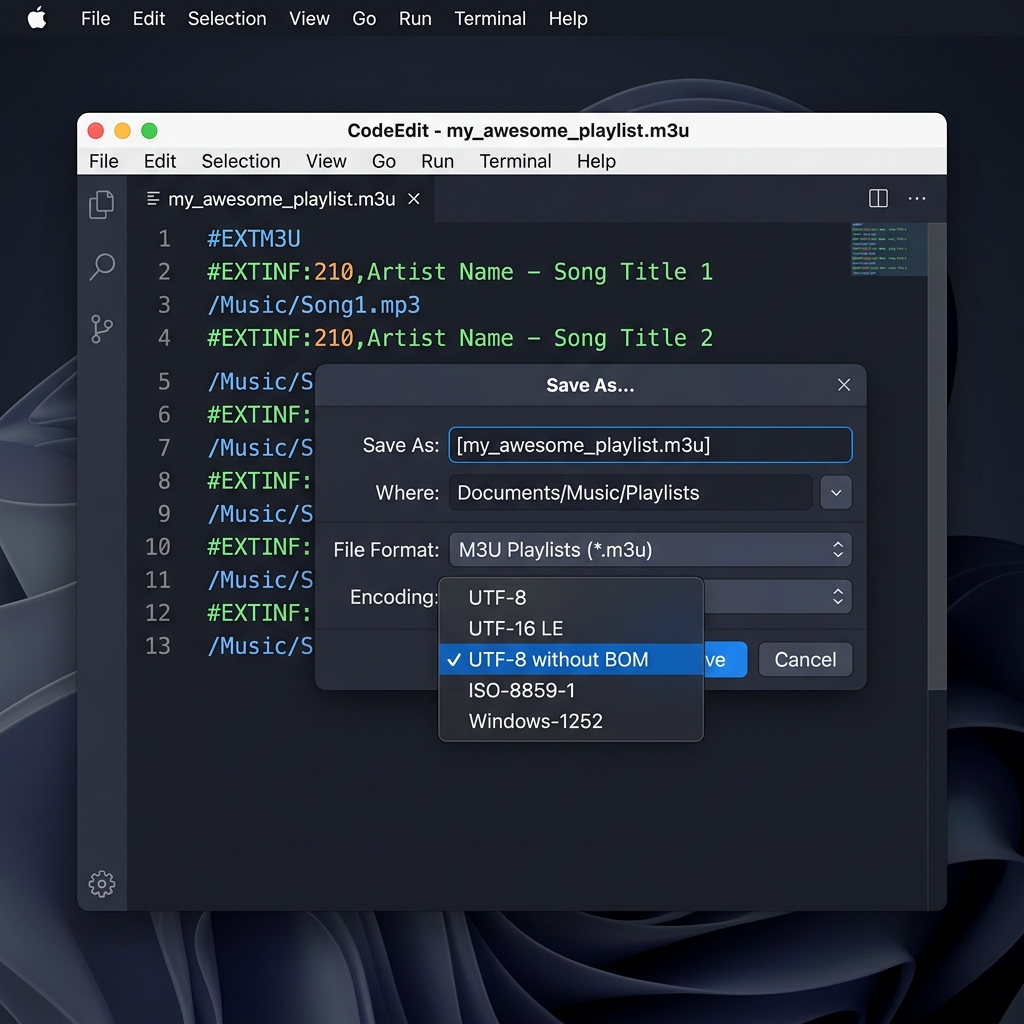
To fix an M3U parse error:
1. Download the M3U file to your PC.
2. Open it in a text editor like Notepad++ or VS Code.
3. Click File > Save As, and ensure the encoding is strictly set to "UTF-8 without BOM".
4. Additionally, many modern apps now enforce strict security protocols (RFC 8216 compliance). Use the "Find and Replace" tool to change all instances of http:// to https:// if your provider supports SSL.
Method 3: Bypassing ISP & DNS Interference
If your player returns a 403 Forbidden error or times out, your ISP is likely interfering. ISPs frequently employ "DDoS-style" DNS disruptions during high-profile sporting events at the behest of rights holders.
To fix this, immediately change the DNS settings on your router or streaming device to Cloudflare (1.1.1.1) or Google (8.8.8.8). If the DNS swap fails, your ISP is actively utilizing deep packet inspection (DPI) to throttle the streaming traffic. In this scenario, you must activate a VPN equipped with obfuscation protocols to mask your connection signature entirely.
Method 4: Validating M3U Syntax and Headers
A single corrupted character can render an entire 15,000-channel list unreadable. The M3U specification requires that the very first line of the document be exactly #EXTM3U.
If your provider's automated system accidentally injected whitespace before the header, your app will reject it. You can copy the first 20 lines of your file and paste them into a free online M3U validator tool to instantly flag syntax errors. For device-specific help, refer to our comprehensive Firestick troubleshooting guide.
Method 5: Clearing App Cache and User Agent Tweaks
A persistent TiviMate network error fix involves two crucial steps. First, navigate to your device's settings, find the application, and clear the cache (do not clear the data, or you will lose your favorites).
Second, many IPTV servers utilize basic firewall rules that block default app user agents to prevent automated scraping. In your app's general settings, locate the "User-Agent" field and change it from the default to a standard browser agent, such as: Mozilla/5.0 (Windows NT 10.0; Win64; x64) AppleWebKit/537.36 (KHTML, like Gecko) Chrome/124.0.0.0 Safari/537.36. This simple tweak circumvents a vast majority of server-side 403 blocks.
Frequently Asked Questions
Why is my M3U playlist not working?
Your M3U playlist may not be working due to an expired subscription, malformed UTF-8 encoding, a blocked server URL resulting from recent anti-piracy seizures, or ISP-level DNS blocking.
How can I tell if an IPTV link is dead or just blocked?
If you receive a "404 Not Found", the server is likely dead or seized. If you receive a "403 Forbidden" or the connection simply times out indefinitely, it is usually ISP interference or an IP ban, which can often be bypassed with a VPN.
How do I fix an "M3U Parse Error" or "Failed to Load" in TiviMate?
First, clear the TiviMate app cache and forcefully close the application. If the error persists, open the M3U file in a text editor and save it with "UTF-8 without BOM" encoding, ensuring the very first line reads exactly "#EXTM3U".
Don't settle for unreliable providers. If your current service has gone dark following the 2026 server seizures, Zyminex offers a multi-CDN architecture designed specifically to survive crackdowns and maintain absolute uptime. Request a fresh trial link and join our next Free Trial window today.
Written by Zyminex Support
Technical troubleshooting experts keeping your streams online 24/7.