If your gigabit fiber connection suddenly crawls to a halt the moment the Champions League starts, you're likely a victim of ISP throttling IPTV. In May 2026, internet providers are using AI-driven Deep Packet Inspection (DPI) to surgically target streaming traffic. This guide reveals the hidden technical triggers behind the "buffering wave" and provides five proven methods to reclaim your bandwidth and enjoy a flawless 4K stream.
The May 2026 Buffering Wave: Why It's Happening Now
The streaming landscape has shifted dramatically. While 2026 IPTV legal crackdowns focus on blocking domains, ISPs are silently launching a secondary assault: Bandwidth Shaping. Instead of blocking servers outright, they use AI-driven Deep Packet Inspection (DPI) to detect the Traffic Signature of live streams.
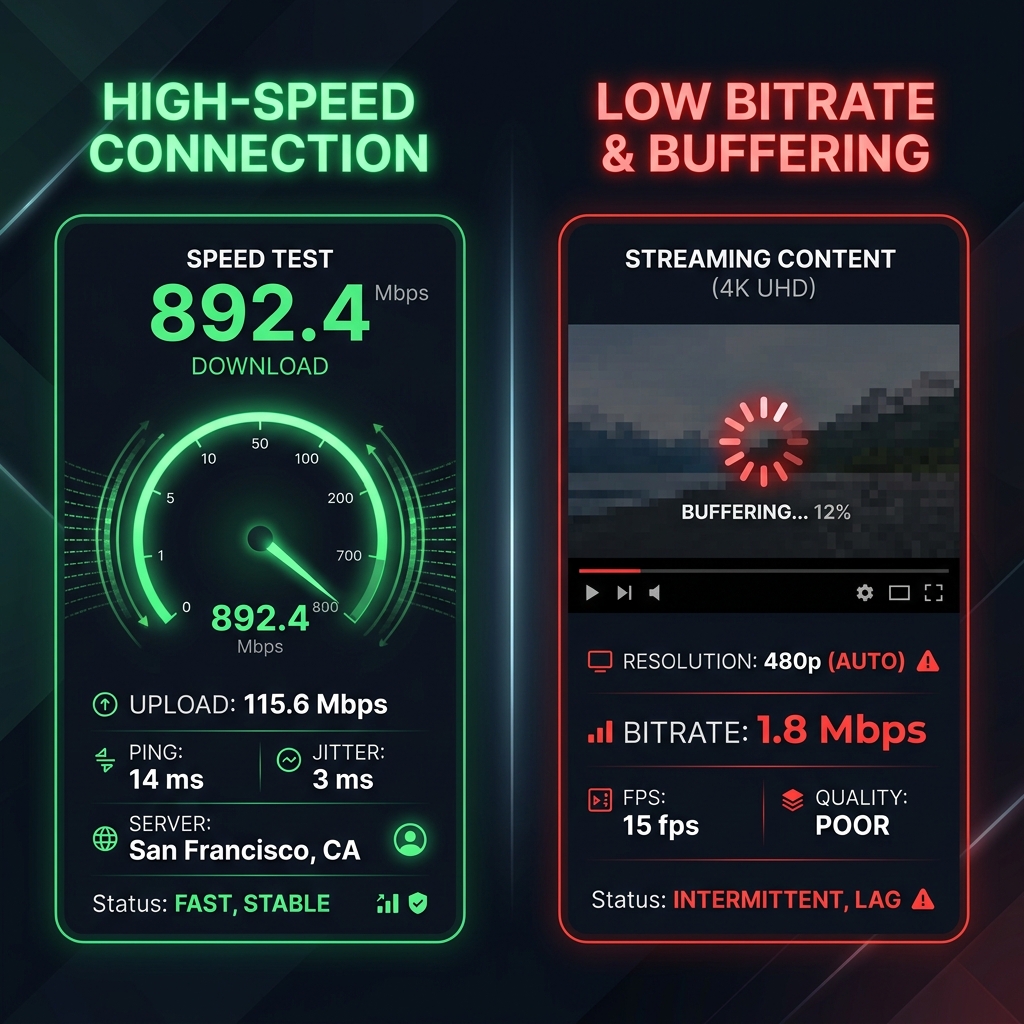
During "High-Value Windows" (e.g., Sunday NFL matches or Saturday Premier League games), ISPs aggressively throttle UDP traffic. This means traditional "speed tests" are no longer reliable indicators of streaming performance. Your ISP might show you 900 Mbps on Speedtest.net, but limit your IPTV connection to a staggering 2 Mbps behind the scenes.
How to Prove Your ISP is Throttling Your Connection
Before diving into solutions, you must confirm that ISP throttling IPTV is the actual culprit. Here is the 2026 method to prove it:
- The Differential Test: Run a test on Speedtest.net (which ISPs often prioritize to look good). Then, immediately run a test on Fast.com (which uses Netflix's video servers). If your Fast.com speed is 50%+ lower than your Speedtest.net result, you are being actively throttled.
- The "Wehe" App: Developed by researchers, the Wehe app runs protocol-specific shaping tests to definitively tell you if your ISP is targeting video data.
5 Ways to Stop IPTV Buffering and Bypass Throttling
1. Switching from UDP to HLS/HTTPS
The community consensus moving away from M3U to Xtream Codes API is clear. By switching your player settings from raw UDP streaming to HLS (HTTP Live Streaming) over Port 443, your traffic blends in with standard encrypted web traffic (like browsing a banking site), making it incredibly difficult for ISP DPI to flag.
2. WireGuard with Obfuscation (Stealth VPN)
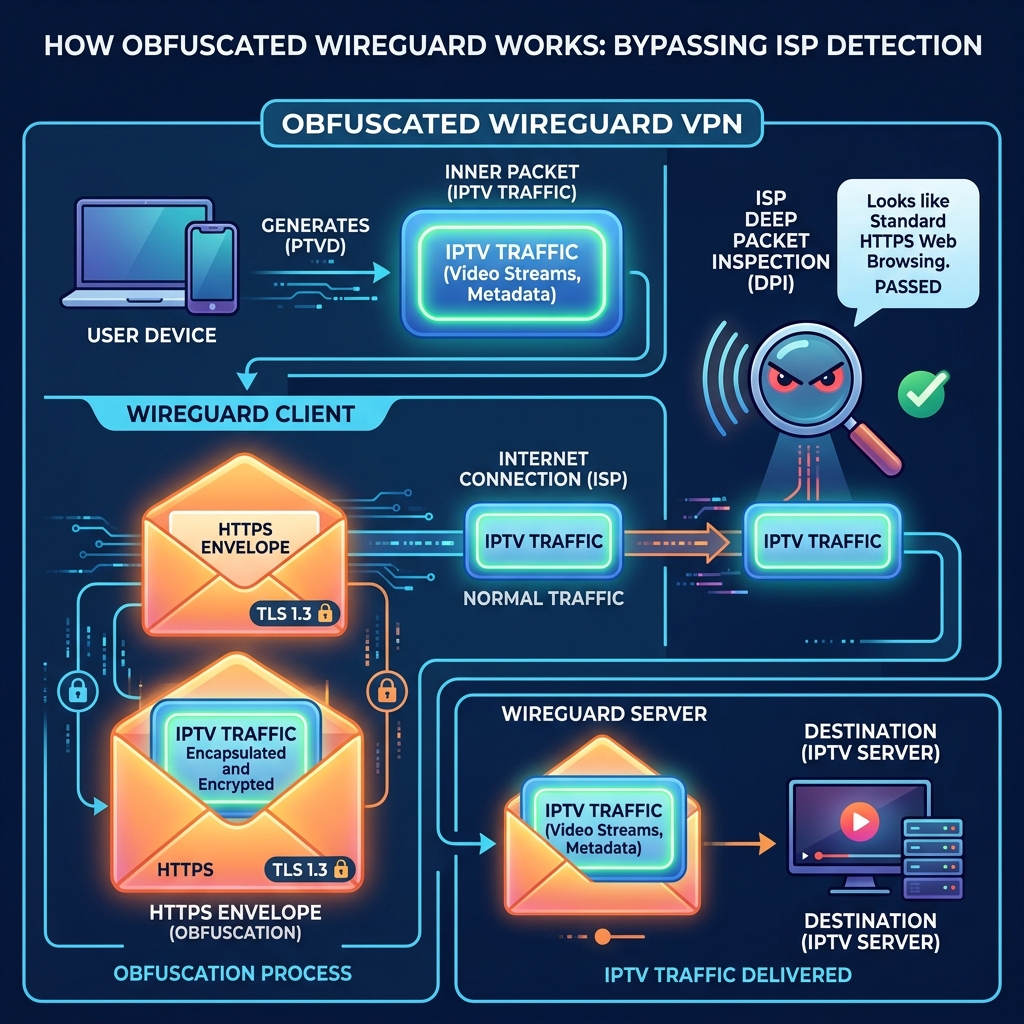
Standard VPNs are now easily detected by modern ISPs. To effectively bypass ISP throttling IPTV, you must use WireGuard Obfuscation (often via VLESS/Reality). This "Stealth VPN" technique wraps your encrypted tunnel in another layer of standard TLS, making your stream mathematically indistinguishable from regular internet browsing.
3. Custom DNS (Cloudflare 1.1.1.1)
ISPs often use their default DNS servers to log and route your requests through their throttling chokepoints. Changing your router or device DNS to Cloudflare (1.1.1.1) or Google (8.8.8.8) ensures faster DNS resolution and bypasses basic DNS-level censorship.
4. Optimizing Player Buffering Settings
If you set up IPTV on Firestick using apps like TiviMate or Smarters Pro, you must increase the "Buffer Size" in the playback settings. Setting it to "Large" or "Very Large" gives your device a 5-10 second cushion to absorb micro-stutters caused by intermittent ISP throttling.
5. The Move to Private Node Infrastructure
Ultimately, the best defense is a premium provider. Providers utilizing high-bandwidth private nodes (rather than oversold public data centers) are less likely to trigger ISP red flags. This is the core of true anti-freeze IPTV technology.
UDP vs. HLS: The Technical Battle for Stability
Understanding the underlying protocols is key to defeating the 2026 buffering wave. Here is how UDP compares to HLS:
Security Alert: Avoiding the "Massiv" Trojan
CRITICAL WARNING (May 2026):Security researchers recently discovered the "Massiv" Android Trojan hidden within fake "Free IPTV" applications circulating on Reddit (r/IPTV) and Hacker News. These malicious apps promise to bypass throttling but instead secretly hijack your device for botnet activity. Always download verified players like TiviMate or Smarters Pro directly from official sources or the Google Play Store.
Frequently Asked Questions
Why does my IPTV buffer only during live sports?
During high-value windows like Champions League matches, ISPs activate aggressive AI-driven Deep Packet Inspection (DPI) to identify and throttle UDP traffic associated with streaming. This surgical bandwidth shaping targets sports streams to reduce network congestion.
Can my ISP see that I am using IPTV if I have a VPN?
A standard VPN hides your destination, but ISPs can still see the "Traffic Signature" (large bursts of UDP data). To completely hide your IPTV usage, you need a VPN with Obfuscation (like WireGuard obfuscated over port 443) that disguises streaming as regular HTTPS web traffic.
Does changing DNS stop ISP throttling?
Changing your DNS to Cloudflare (1.1.1.1) or Google (8.8.8.8) bypasses DNS-level blocking, but it does not stop Deep Packet Inspection (DPI) throttling. To fully bypass ISP throttling IPTV, you need VPN obfuscation combined with a premium provider.
What is the best VPN protocol for IPTV in 2026?
The best VPN protocol for IPTV buffering in 2026 is WireGuard with Obfuscation (often implemented via VLESS/Reality). This provides the ultra-low latency of WireGuard while making the traffic look like standard HTTPS, effectively bypassing DPI filters.
Written by the Zyminex Editorial Team
Our network security team, committed to delivering uninterrupted 4K entertainment.