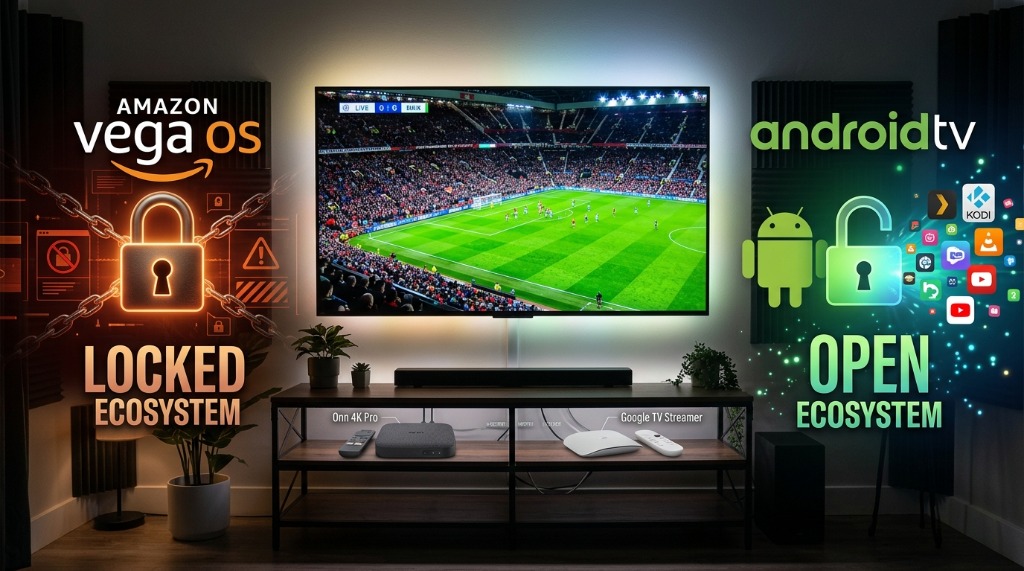
Amazon's long-rumored transition to its proprietary, Linux-based Vega OS has arrived, permanently dismantling the Android runtime environment and ending the era of effortless APK sideloading on new Fire TV devices. Cord-cutters searching for the best firestick alternatives for live tv no longer need to tolerate locked-down ecosystems; certified Google TV and Android TV streaming boxes provide vastly superior hardware, unrestricted application access, and seamless zero-buffer sports streaming right out of the box.
Why Amazon Vega OS Permanently Kills APK Sideloading
For over a decade, the Amazon Fire TV Stick reigned as the default hardware for cord-cutters. Its popularity wasn't driven by Amazon's bloated, ad-saturated home screen—it was driven by a single technical characteristic: Fire OS was built on the Android Open Source Project (AOSP). Because it ran on Android, users could open the Downloader app, enable Developer Options, and install any standard Android Package Kit (.apk) file in seconds. That architecture enabled millions of households to run standalone media players like TiviMate, Kodi, and custom IPTV clients.
With Amazon Firestick Vega OS, that foundation is dead. Vega OS is not an Android fork. It is a custom Linux microkernel developed under the internal codename "Fospha." Instead of utilizing Google's Android Runtime (ART) or the legacy Dalvik virtual machine, Vega OS executes web applications written in JavaScript and React Native.
Here is what this fundamental architectural shift means for everyday streaming users:
- No Android Bytecode Execution: A Vega OS device literally cannot interpret an
.apkbinary. Attempting to run an Android installer on Vega OS is like trying to install a Windows.exefile on a Nintendo Switch. - Removal of Developer Options: The familiar "Install Unknown Apps" permission menu and ADB debugging toggles have been completely eliminated from the settings menu.
- End of the Downloader Era: Sideloading utilities like Downloader cannot download or unpack Android apps, rendering them useless for third-party media installation.
- Walled-Garden App Store: Only developers who rewrite their applications from scratch in web code and receive Amazon's strict commercial approval will appear in the new Vega Appstore. Unapproved IPTV players and niche sports utilities will never be admitted.
⚠️ The Hardware Transition Timeline: On October 1, 2026, Amazon began sunsetting Fire TV Stick 4K SKUs in favor of new Vega OS streaming units. While existing Fire OS 7 and 8 sticks in your home won't be force-updated to Vega OS overnight, Amazon is progressively locking down security policies and phasing out developer support. If you are buying a streaming device today, buying a Firestick is a dead end. Check our older Firestick optimization guide if you are nursing an existing unit, but for new setups, switching to Android TV is mandatory.
The 3 Best Android TV Streaming Boxes to Replace Firestick in 2026
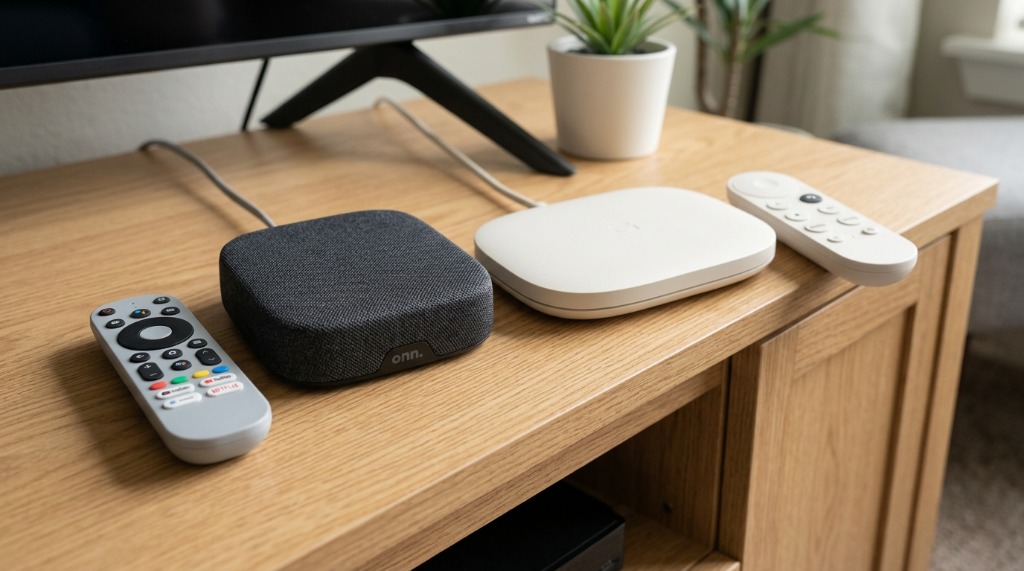
Leaving the Fire TV ecosystem doesn't mean spending a fortune. In fact, certified Google TV and Android TV boxes offer vastly superior performance, clean UI without full-screen autoplay ads, and full access to the Google Play Store. When selecting the best android streaming device 2026 has to offer, three contenders dominate the market at every price tier:
1. Walmart Onn 4K Pro ($49.88) — The Undisputed Value King
If you want a direct, dollar-for-dollar replacement for the Fire TV Stick 4K that dramatically outperforms it, the Onn google tv box live tv powerhouse is the single best bargain in consumer electronics. Built in partnership with Google, this compact desktop streaming box runs pure Google TV on Android 14.
- Key Specifications: Quad-core Amlogic S905X5M chipset, 3GB of RAM, 32GB of internal storage, Wi-Fi 6, 10/100 Ethernet port, and a full-sized USB 3.0 port.
- Why It Destroys the Firestick: The Fire TV Stick 4K is notoriously crippled by a pathetic 8GB of storage (with barely 4.5GB usable), causing persistent "storage full" warnings. The Onn 4K Pro gives you 32GB of storage—seven times more room for apps and EPG caching. Plus, its 3GB of RAM eliminates background app freezing.
- Premium Remote Perks: Includes a backlit remote control with a dedicated "Find My Remote" button on the base station that beeps loudly when lost in couch cushions, plus hands-free Google Assistant voice control.
2. Google TV Streamer 4K ($99.99) — The Premium Home Theater Standard
Replacing the aging Chromecast with Google TV dongle, the Google TV Streamer 4K is Google's flagship hardware designed specifically for high-bitrate 4K streaming and smart home integration.
- Key Specifications: 4GB of RAM, 32GB of storage, native Gigabit Ethernet (1,000 Mbps LAN port), Wi-Fi 6, USB-C expansion, and an integrated Thread border router / Matter smart home hub.
- The Live Sports Advantage: For high-frame-rate live television, wireless latency is the enemy. The Google TV Streamer's native Gigabit Ethernet port delivers rock-solid, hardwired bandwidth that completely eliminates packet drops during high-traffic NFL, Premier League, and PPV broadcasts.
- Software Longevity: Because it is first-party Google hardware, you receive direct OS updates, security patches, and first-in-line access to new Android TV features for years to come.
3. NVIDIA Shield TV Pro ($199.99) — The Powerhouse for Enthusiasts
Nearly a decade after its initial architecture debuted, the NVIDIA Shield TV Pro remains the undisputed heavyweight champion of streaming hardware. Powered by NVIDIA's Tegra X1+ processor, it is built for power users who refuse to compromise.
- Key Specifications: Tegra X1+ processor with 256-core GPU, 3GB RAM, dual full-sized USB 3.0 ports, Gigabit Ethernet, Dolby Atmos, and Dolby Vision pass-through.
- Next-Level Video Upscaling: NVIDIA's proprietary AI-enhanced 4K upscaler transforms standard 720p and 1080p cable broadcasts into razor-sharp 4K output in real-time, delivering the crispest picture quality possible on large OLED displays.
- Multi-Screen Monster: When running our multi-screen sports setup guide with 4 simultaneous feeds running side-by-side, cheaper sticks overheat and stutter. The Shield Pro decodes four distinct 60fps streams effortlessly without dropping a single frame.
Hardware Comparison: Fire TV Stick 4K (Vega OS) vs. Onn 4K Pro vs. Google TV Streamer
When evaluating hardware for high-bitrate live television, raw CPU power, RAM headroom, and open operating systems matter far more than branded marketing hype. Here is how the locked-down 2026 Firestick stacks up against the top open alternatives:
| Device | Operating System | RAM / Storage | Network | Sideloading (APKs) | TiviMate Support | Price (USD) |
|---|---|---|---|---|---|---|
| Fire TV Stick 4K (2026) | Vega OS (Linux) | 2GB / 8GB | Wi-Fi 6 Only | ❌ Blocked | ❌ No | $49.99 |
| Walmart Onn 4K Pro | Google TV (Android 14) | 3GB / 32GB | Wi-Fi 6 + 100M LAN | ✅ Full | ✅ Yes (Play Store) | $49.88 |
| Google TV Streamer 4K | Google TV (Android 14) | 4GB / 32GB | Gigabit LAN + Wi-Fi 6 | ✅ Full | ✅ Yes (Play Store) | $99.99 |
| NVIDIA Shield TV Pro | Android TV 11/12 | 3GB / 16GB + USB | Gigabit LAN + Wi-Fi 5 | ✅ Full | ✅ Yes (Play Store) | $199.99 |
Step-by-Step: How to Migrate Your Live TV & TiviMate Setup to Google TV in Under 5 Minutes
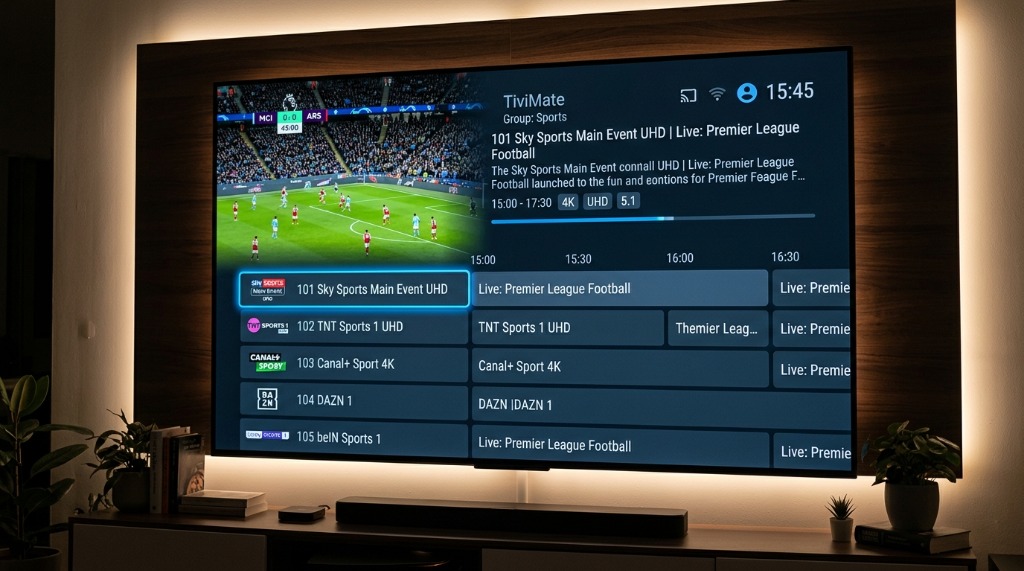
The biggest surprise for users switching from Fire OS to Google TV is how much easier the initial configuration is. Because Google TV does not treat third-party players like contraband, you don't need to jump through developer hoops to get up and running. Here is how to configure a tivimate compatible tv box in minutes:
- Step 1: Unbox & Authenticate Google TV. Connect your Onn 4K Pro or Google TV Streamer to your television's HDMI 2.1 port, plug in power, and sign into your primary Google account. If your router is nearby, connect an Ethernet cable directly into the box for the cleanest broadcast feed.
- Step 2: Install Your Live TV Client from Google Play. Open the native Google Play Store on your screen. Search for "TiviMate IPTV Player" or "IPTV Smarters Pro". Click Install. Because it is an official Play Store app on Google TV, you don't even need Downloader! Follow our step-by-step TiviMate setup tutorial for detailed app navigation.
- Step 3: Connect Your High-Bitrate Credentials. Open TiviMate, select Add Playlist, and choose Xtream Codes. Enter your server URL, username, and password provided with your premium live TV plan. Your full EPG program guide, channel logos, and VOD categories will populate automatically in seconds.
- Step 4: Optimize Decoder Settings for Zero Lag. In TiviMate, navigate to Settings > Playback. Change the video decoder from Software to Hardware. Under Buffer size, select Large. This allocates your box's 3GB or 4GB of RAM to cache upcoming frames, completely buffering against micro-stutters during live 60fps sports broadcasts.
Frequently Asked Questions
Can you sideload APK apps on Amazon Fire TV running Vega OS?
No. Amazon Vega OS completely removes the Android Open Source Project (AOSP) base and Dalvik/ART virtual machine runtime. Because Vega OS is a proprietary Linux microkernel built exclusively for web-based applications and React Native, it does not support Android bytecode or .apk application packages. Sideloading Android apps on Vega OS devices is technically impossible.
Will the Downloader app work on Amazon Vega OS?
No. The popular Downloader utility by AFTVnews relies on Android package installer APIs to download and unpack APK files. On Vega OS, there is no package installer, no "Install Unknown Apps" permission, and no Android filesystem compatibility. Downloader cannot function as an APK installer on Vega OS.
What is the best cheap Android TV box to replace a Firestick in 2026?
The Walmart Onn 4K Pro ($49.88) is unequivocally the best budget replacement for the Firestick in 2026. It features 3GB of RAM, 32GB of onboard storage, Wi-Fi 6, a physical Ethernet port, a USB 3.0 port, and runs official Google TV (Android 14) with unrestricted Google Play Store access and effortless APK sideloading.
Will my existing Fire TV Stick automatically update to Vega OS?
No. Amazon has stated that existing Fire TV sticks running Fire OS 7 or Fire OS 8 will remain on their current operating system branches and will not receive an over-the-air update to Vega OS. However, newly manufactured devices released after October 1, 2026, come pre-installed with Vega OS, and existing Fire OS devices are expected to receive fewer feature updates.
Can I run TiviMate and IPTV Smarters on Google TV and Onn boxes?
Yes. TiviMate, IPTV Smarters Pro, and other leading live TV clients are officially available on the Google Play Store on certified Google TV and Android TV devices like the Onn 4K Pro, Google TV Streamer, and NVIDIA Shield TV Pro. You can install them with a single click without needing to sideload.
The Verdict: Firestick is Dead. Long Live Open Android TV.
Amazon's rollout of Vega OS marks the definitive end of Firestick's reign as the cord-cutter's favorite budget streaming hardware. By replacing an open Android foundation with a locked-down proprietary sandbox, Amazon has chosen corporate control and ad-monetization over user freedom.
Fortunately, cord-cutters have never had better hardware options. Whether you pick the $50 Walmart Onn 4K Pro for unrivaled value, the $100 Google TV Streamer for Gigabit Ethernet stability, or the NVIDIA Shield Pro for elite multi-screen power, switching to Google TV is an immediate upgrade in speed, storage, and flexibility.
Ready to see what true 4K 60fps streaming looks like on your new Android device? Take advantage of our zero-risk offer to test our buffer-free 24-hour trial today, or lock in our annual VIP package for less than €5 per month. Leave the locked-down Firestick in the drawer and experience modern live TV without limits.
Written by Zyminex Streaming Labs
Benchmarking television hardware, testing decoding protocols, and empowering cord-cutters with open streaming freedom.
Ready for True Open Streaming?
Instant Xtream Codes & M3U delivery. Compatible with Google TV, Onn, NVIDIA Shield, and all Android devices. 20,000+ live channels in 4K.